
 Image 1 of 1
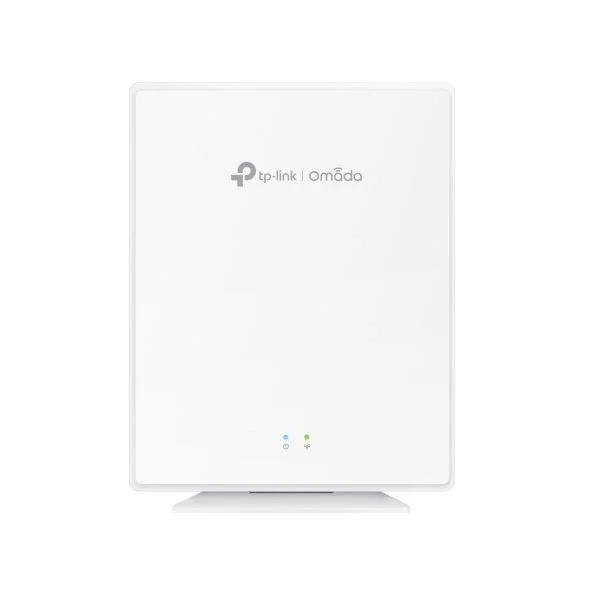
Omada AX1800 Desktop Dual-Band Wi‑Fi 6 GPON Access Point
Overview A compact, high-performance GPON access point designed for fiber-based deployments and advanced home/SMB wireless environments. Combines GPON ONT functionality with Wi‑Fi 6 throughput and Omada SDN centralized management for simple deployment and scalable network control.
Key Specifications
Ports:
1 × SC/UPC GPON
4 × 1G RJ45 (one port supports PoE Out)
1 × RJ11 (voice)
Wireless Speed:
2.4 GHz: up to 574 Mbps
5 GHz: up to 1201 Mbps
Total theoretical AX1800 throughput
Radio & Antennas:
Dual‑band Wi‑Fi 6 (802.11ax)
4 × internal antennas
MU‑MIMO, Beamforming
80 MHz channel support
Power:
53.5 V DC (power adapter included)
PoE Out on one LAN port for powering downstream device
Performance & QoS:
Seamless roaming
Band steering
Load balancing
Airtime fairness
Management:
Centralized management via Omada SDN Controller
Mobile management with the Omada App
Form factor:
Desktop design for flexible placement in customer premises
Capabilities & Benefits
Integrated GPON ONT and Wi‑Fi 6 AP: Streamline fiber deployments by combining optical network termination with high-speed wireless access in a single desktop unit.
Improved capacity and efficiency: Wi‑Fi 6 features (MU‑MIMO, 80 MHz channels, OFDMA effects) increase client density handling and reduce latency for modern applications.
Reliable coverage: Beamforming and internal antennas deliver stable connections across typical home or small office layouts.
Smooth mobility: Seamless roaming and band steering keep devices connected to the best available radio band and access point without interruption.
Flexible power options: Standard DC adapter included; one Gigabit LAN port can supply PoE power to downstream devices.
Centralized, scalable management: Manage single or multiple devices through Omada SDN Controller or on the go with the Omada App—ideal for multi‑site rollouts and consistent policy enforcement.
Use Cases
Fiber-to-the-Home (FTTH) residences requiring integrated GPON termination plus robust Wi‑Fi 6 coverage.
Small offices and branch sites where simplified wiring and centralized management ease deployment and maintenance.
Hospitality or multi‑dwelling environments where voice (RJ11) and downstream PoE simplify peripheral connectivity.
What’s Included
Omada AX1800 Desktop Dual‑Band Wi‑Fi 6 GPON Access Point
53.5 V DC power adapter
Documentation and quick start guide
Compliance & Notes
Actual throughput and coverage depend on environment, client capabilities, and network configuration.
For best performance in dense deployments, use Omada SDN Controller to optimize channel planning, power settings, and load balancing.
For professional installations, consult network design guidance to ensure appropriate GPON profiles and VLAN/voice settings are configured on the service provider and controller side.
Omada AX1800 Desktop Dual-Band Wi‑Fi 6 GPON Access Point
Overview A compact, high-performance GPON access point designed for fiber-based deployments and advanced home/SMB wireless environments. Combines GPON ONT functionality with Wi‑Fi 6 throughput and Omada SDN centralized management for simple deployment and scalable network control.
Key Specifications
Ports:
1 × SC/UPC GPON
4 × 1G RJ45 (one port supports PoE Out)
1 × RJ11 (voice)
Wireless Speed:
2.4 GHz: up to 574 Mbps
5 GHz: up to 1201 Mbps
Total theoretical AX1800 throughput
Radio & Antennas:
Dual‑band Wi‑Fi 6 (802.11ax)
4 × internal antennas
MU‑MIMO, Beamforming
80 MHz channel support
Power:
53.5 V DC (power adapter included)
PoE Out on one LAN port for powering downstream device
Performance & QoS:
Seamless roaming
Band steering
Load balancing
Airtime fairness
Management:
Centralized management via Omada SDN Controller
Mobile management with the Omada App
Form factor:
Desktop design for flexible placement in customer premises
Capabilities & Benefits
Integrated GPON ONT and Wi‑Fi 6 AP: Streamline fiber deployments by combining optical network termination with high-speed wireless access in a single desktop unit.
Improved capacity and efficiency: Wi‑Fi 6 features (MU‑MIMO, 80 MHz channels, OFDMA effects) increase client density handling and reduce latency for modern applications.
Reliable coverage: Beamforming and internal antennas deliver stable connections across typical home or small office layouts.
Smooth mobility: Seamless roaming and band steering keep devices connected to the best available radio band and access point without interruption.
Flexible power options: Standard DC adapter included; one Gigabit LAN port can supply PoE power to downstream devices.
Centralized, scalable management: Manage single or multiple devices through Omada SDN Controller or on the go with the Omada App—ideal for multi‑site rollouts and consistent policy enforcement.
Use Cases
Fiber-to-the-Home (FTTH) residences requiring integrated GPON termination plus robust Wi‑Fi 6 coverage.
Small offices and branch sites where simplified wiring and centralized management ease deployment and maintenance.
Hospitality or multi‑dwelling environments where voice (RJ11) and downstream PoE simplify peripheral connectivity.
What’s Included
Omada AX1800 Desktop Dual‑Band Wi‑Fi 6 GPON Access Point
53.5 V DC power adapter
Documentation and quick start guide
Compliance & Notes
Actual throughput and coverage depend on environment, client capabilities, and network configuration.
For best performance in dense deployments, use Omada SDN Controller to optimize channel planning, power settings, and load balancing.
For professional installations, consult network design guidance to ensure appropriate GPON profiles and VLAN/voice settings are configured on the service provider and controller side.